Can Dead Pixels Be Fixed? Usually No. Stuck Pixels Are Different
A true dead pixel usually does not come back. A stuck pixel sometimes does. Here is what is worth trying, what is not, and when to stop wasting time and return the screen.
The HardwareTest.org Editorial Team maintains the site's browser-based diagnostics and troubleshooting guides. We verify tool interfaces and reproduction steps in current browsers, document what a browser can and cannot measure, add original screenshots, and link technical claims to primary sources.
Reproducible review
How we checked this guide
We verified the solid-color checker and the flashing-tool warning presentation. No claim is made that a browser pattern repaired a physical pixel during this review.
- Checked
- July 26, 2026
- Environment
- Desktop screenshots: Microsoft Edge 150.0.4078.83 · Windows desktop build 10.0.26200 · Desktop viewport: 1440 x 1000 · Responsive screenshots: current Chrome with a 390 x 844 viewport override

A truly dark or dead pixel is not something a browser can repair. A bright or stuck pixel may change in some cases, but there is no guaranteed software fix. On a new display, use the return or warranty path before trying pressure, tapping, opening the panel, or long flashing sessions.
First classify the point with the Dead Pixel Test. The distinction matters more than the name used in a forum post.
Confirm the defect before acting
- Clean the surface with the display off.
- Show white, black, red, green, and blue in full screen.
- Note whether the point is always dark, always bright, or fixed in one color.
- Restart the display and test another input source.
- Check the seller's return window and the manufacturer's policy for the exact model.
Use the dead versus stuck pixel guide if the classification is unclear.
Choose the lowest-risk response
| Finding | Recommended response |
|---|---|
| Dark point remains dark on bright colors | Document it and use return or warranty support |
| Bright or colored point remains visible on black | Document it; consider only the manufacturer's supported steps |
| Mark disappears after surface cleaning | No pixel repair is needed |
| Patch changes with viewing angle | Diagnose uniformity or glow instead of a single pixel |
| Defect appeared after impact or pressure | Stop pressing the panel and seek repair advice |
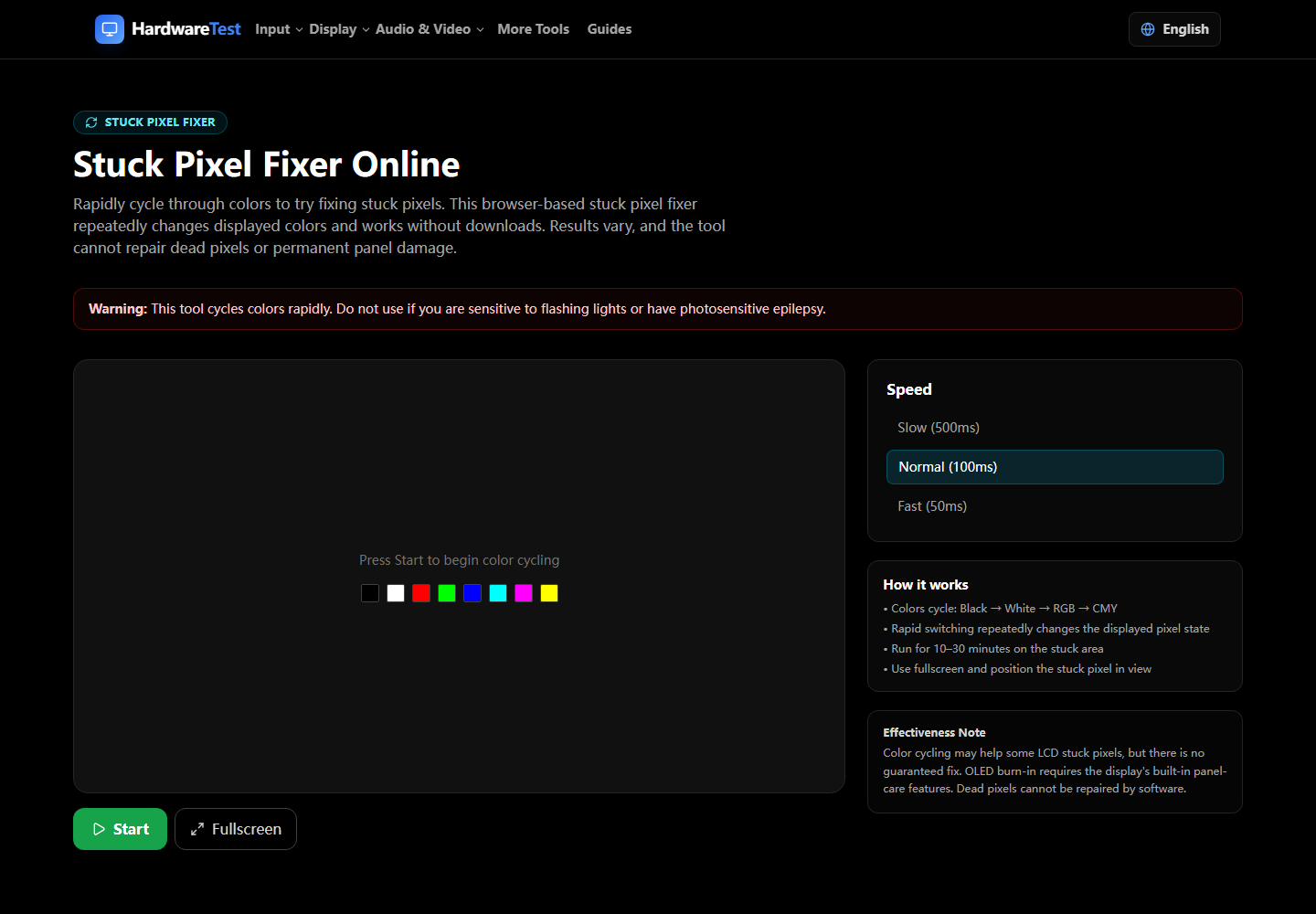
Some web tools display rapidly changing colors. They can only change the image sent to the screen; they do not repair electronics or reconnect a failed transistor. Evidence for success is inconsistent, and manufacturers may not support the method. If you use the Stuck Pixel Fixer, read its flashing-light warning, keep the session brief, stop if uncomfortable, and retest with solid colors.
Do not apply pressure
Pressing, rubbing, or tapping can create pressure marks, damage surrounding pixels, crack the panel, or affect warranty handling. A visible defect on a new display is a documentation and support problem first, not a reason to experiment physically.
What to send to support
Provide the monitor model and serial number, purchase date, the affected location, the colors that reveal it, and clear photos taken in normal room light. Confirm the current policy directly with the manufacturer because allowed defect counts and premium-panel coverage vary.
For symptoms larger than one point, follow the screen defect diagnosis instead. A browser can make the defect easier to see, but it cannot determine the failed internal component or promise a repair.
Primary sources
Technical claims are checked against the following vendor or platform documentation.
- Dell Display Pixel Guidelines — Dell Support
Ready to Test Your Monitor?
Use our professional dead pixel tester to check your screen for dead pixels, stuck pixels, and display uniformity issues.
Start Dead Pixel Test